On this page
On this page
The short answer
A full-time score graphic (a final score graphic in North America) shows both teams, the final score, and usually the scorers, in the club's colours with its logo. Post it as a 9:16 Story and a 4:5 feed post.
The free MatchWeek maker draws one from what you type: your team, the opponent, the date and the score. Add scorers and both logos if you have them, pick a look, and save the picture. There is no sign-up and nothing to design.
What goes on a final score graphic
Followers read a result post in about a second, so the order matters.
- The score, biggest. Both numbers, with your team's side obvious from colour and logo.
- Both team names. Short forms are fine if the full names are long.
- The words "Full time". So it is not mistaken for a half-time or live score.
- Scorers. Names, with minutes where your sport records them. This is what gets a post shared by families.
- Competition and date. Small. It matters when the post is seen days later.
- Your sponsor. If you have one, this is the post they most want to be on.
Leave off anything else. A match report belongs in the caption.
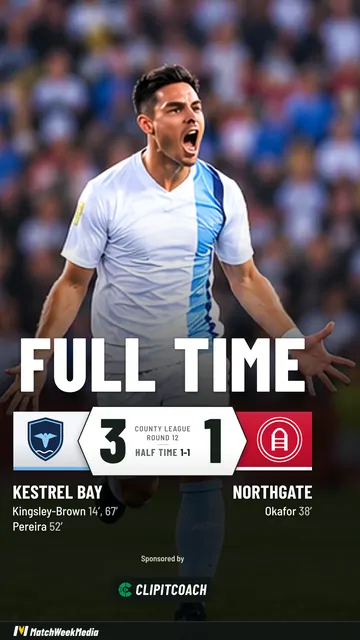
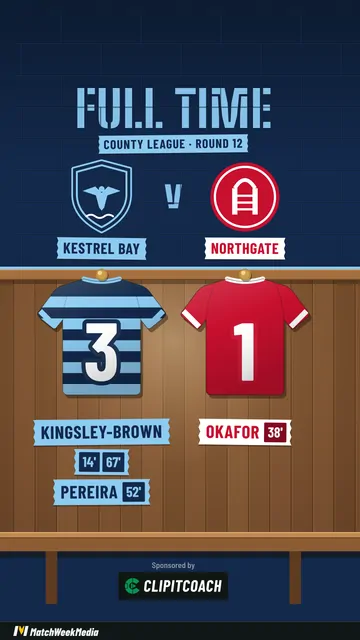
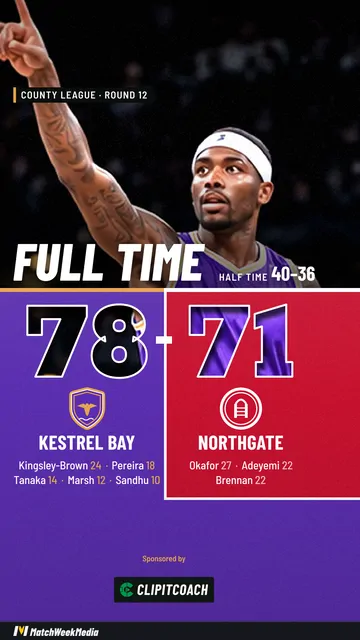
Make one in a minute
- Open the maker and add your team once: name, kit colours and logo. The browser remembers it for next week.
- Enter the game. Who you played and the date. Add their logo and kit colours if you have them.
- Choose Full time as the post type and type the final score. Add scorers if you want them listed.
- Pick a look. Some are drawn graphics in your kit; some put the score over your own photo from the game.
- Choose Story or Post, make it, and save the picture.
Open the free maker No sign-up, no card. It runs in your browser.
The score is laid out the way your sport keeps it, so a basketball result, a rugby result and a football result each look right. The same details make the fixture and half-time posts, so the week's posts match.
Sizes that fit where you post
| Shape | Size | Use it for |
|---|---|---|
| Story | 1080 × 1920 (9:16) | Instagram and Facebook Stories, Reels, TikTok, WhatsApp |
| Post | 1080 × 1350 (4:5) | The Instagram and Facebook feed |
Both download as PNG.
Make both if you post to Stories and the feed. A Story cropped into the feed loses the top and bottom, which is usually where the score and the scorers are.
Template or maker
A Canva or Photoshop template gives you full control and asks for it every week: retype the names, swap the logo, nudge the score so it still fits. That is fine with a media volunteer and a laptop, and it is why results go up on Monday.
A maker asks for the score and draws the rest. You give up fine control over the layout and get a post that is done at the ground, in the same style every week.
If you post every week for several teams, the free MatchWeek app keeps each team with its squad and games, animates each post as a short video, and saves every post you make. If your team uses ClipItCoach, the Pro plan makes the same posts from your schedule; MatchWeek posts explains how.
Common questions
What is a full-time score graphic?
It is the picture a club posts when a game ends: both teams, the final score and usually the scorers, in the club's colours with its logo. In North America it is usually called a final score graphic.
What size should a final score graphic be?
Use 1080 × 1920 (9:16) for Instagram and Facebook Stories, Reels, TikTok and WhatsApp, and 1080 × 1350 (4:5) for the Instagram and Facebook feed. The free MatchWeek maker saves both as PNG.
Is it free, and is there a watermark?
It is free with no sign-up, no card and no limit on how many posts you make. Your sponsor can appear on every free post. A slim MatchWeek banner runs along the bottom, and the MatchWeek app can remove it.
Which sports does it work for?
Football (soccer), rugby union and league, basketball, netball, hockey, ice hockey, AFL, American football, cricket, baseball, lacrosse, volleyball and more. Each is scored its own way.
Can I make the score graphic as a video?
Yes, with the free MatchWeek app for iPhone, iPad and Android. It makes each post as a short animated video for Reels, TikTok and Stories. The maker in your browser makes photos.
Is what I type or upload sent anywhere?
No. The post is drawn on your own device, so the names, logos, scores and photos you add are never sent to us or anyone else. The post is public once you share it, so think about whether to name junior players.