On this page
On this page
The short answer
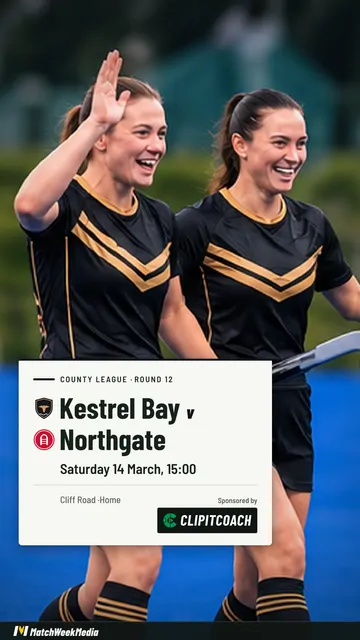
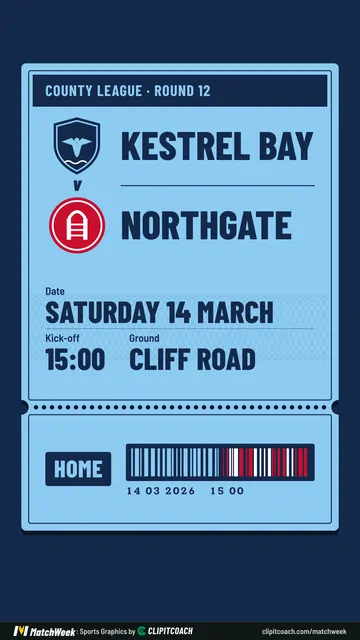
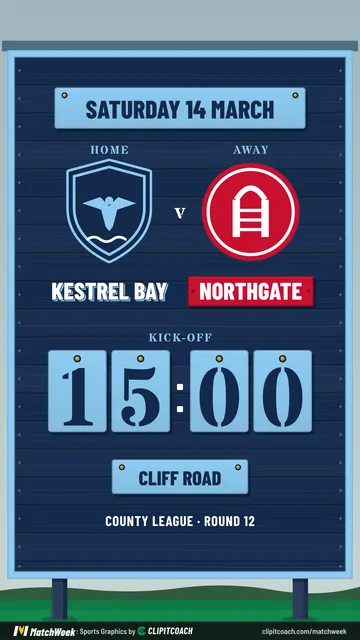
A fixture graphic (a game day graphic in North America) announces a game: both teams, the date, the start time and the venue, in the club's colours with its logo.
The free MatchWeek maker draws one from your team, the opponent, and the date and time. Add the venue, the competition and both logos if you have them. It saves a 9:16 Story and a 4:5 feed post, with no sign-up.
What a fixture post has to say
- Who. Both teams, with logos where you have them. Yours first if you are at home.
- When. The day, the date and the start time. Write the day out: "Saturday 14 March" survives being seen on Thursday or on Saturday morning.
- Where. The ground, and home or away. For away games this is the detail people are looking for.
- What. The competition and round, small.
That is the whole post. Team news, travel details and ticket links go in the caption, where they can be copied and tapped.
When to post it
Two posts do more than one.
- Early in the week, to the feed. This is the one people check back for the time and the ground.
- On the morning of the game, as a Story. It expires by itself and reminds anyone who forgot.
Then the half-time score, the result and a player award carry the rest of the week in the same look, so the feed reads as one club.
Make one without a template
- Open the maker and add your team once: name, kit colours and logo. The browser remembers it.
- Enter the game. The opponent, the date and the start time. A fixture starts on the coming Saturday until you change it.
- Add what you have: the venue, home or away, the competition, and the other team's logo and kit.
- Choose Fixture, pick a look, and choose Story or Post.
- Make it and save the picture.
Open the free maker No sign-up, no card. It runs in your browser.
Some looks are drawn in your kit colours. Others put the fixture over a photo of your own, which suits a derby or a final.
Sizes that fit where you post
| Shape | Size | Use it for |
|---|---|---|
| Story | 1080 × 1920 (9:16) | Instagram and Facebook Stories, Reels, TikTok, WhatsApp |
| Post | 1080 × 1350 (4:5) | The Instagram and Facebook feed |
Both download as PNG.
Posting every week
The browser maker remembers one team on each device. If you post for several teams, or want the lineup too, the free MatchWeek app keeps every team with its squad and games, makes a lineup video of the starting team, and animates each post. The lineup video post shows what that looks like.
If your team already runs its schedule in ClipItCoach, the Pro plan makes the fixture post straight from the game; the MatchWeek posts guide walks through it.
Common questions
What is a fixture graphic?
It is the picture a club posts to announce a game: both teams, the date, the start time and the venue, in the club's colours with its logo. In North America it is usually called a game day graphic.
What should a game day graphic include?
Both teams, the day and date, the start time and the venue, plus the competition if it matters. Keep everything else for the caption, so the time and place can be read in a couple of seconds.
When should I post the fixture?
Post it to the feed early in the week and again as a Story on the morning of the game. The first is the one people check back for; the second is the reminder.
Is it free, and is there a watermark?
It is free with no sign-up, no card and no limit on how many posts you make. Your sponsor can appear on every free post. A slim MatchWeek banner runs along the bottom, and the MatchWeek app can remove it.
Can I add the other team's logo?
Yes. Add the opponent's logo and kit colours with the game and both appear on the post. The maker also works without them.
Is what I type or upload sent anywhere?
No. The post is drawn on your own device, so the names, logos, scores and photos you add are never sent to us or anyone else. The post is public once you share it, so think about whether to name junior players.