Guide 9 of 10
Make a lineup promo video
Post your team before kick-off without opening a design app. ClipItCoach turns the lineup you’ve saved into a short video of the starters and the bench, in your kit.
Promo videos need the Coach plan. See the plans
Steps
Steps
-
Save the lineup and choose Promo video
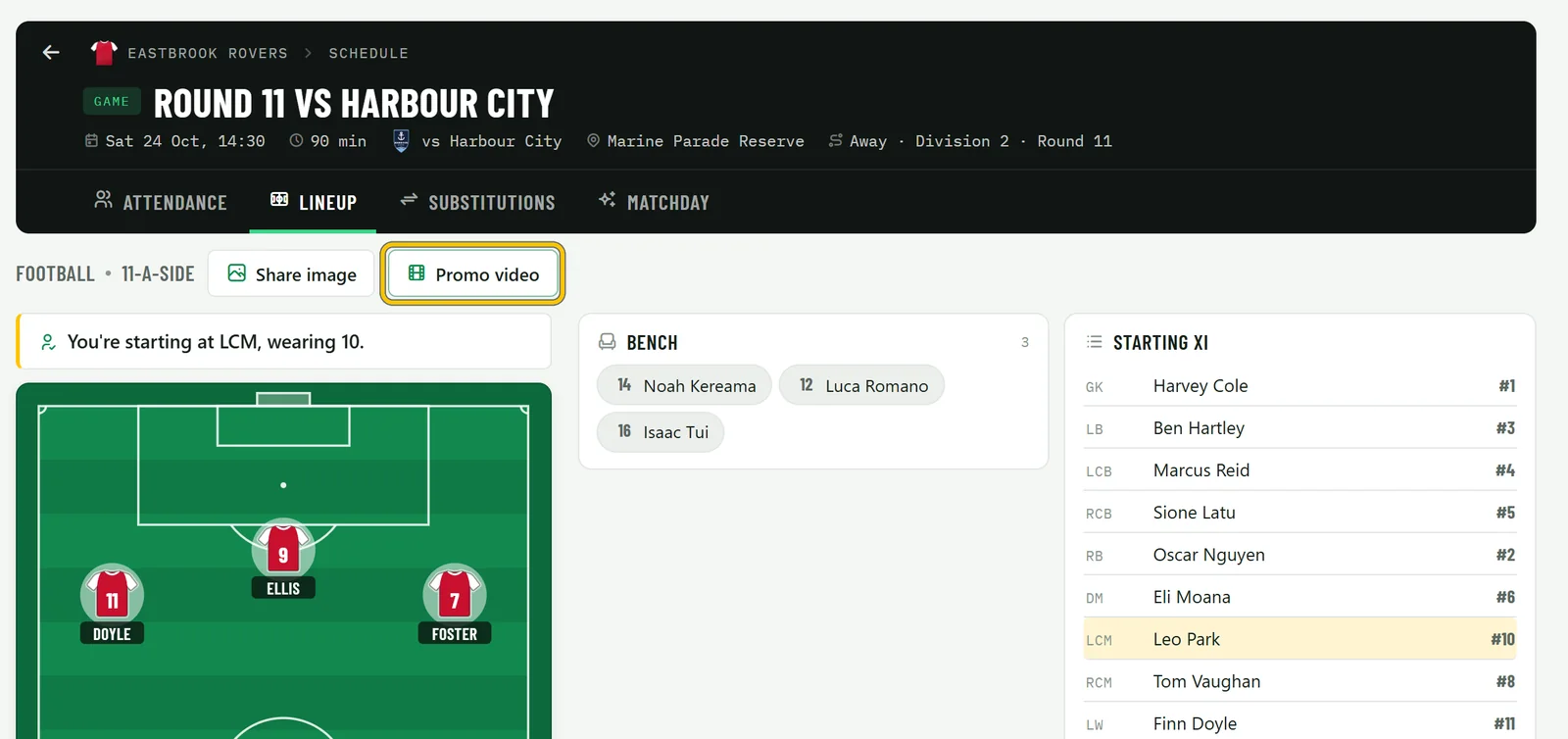
Open the game on your team’s Schedule and choose Lineup. The video always uses the saved lineup, so put your players in place and choose Save lineup. Then choose Promo video. Coaches and the team’s owner can make one from any game with a saved lineup.
New to lineups? Team chat and the schedule shows how to set one up.
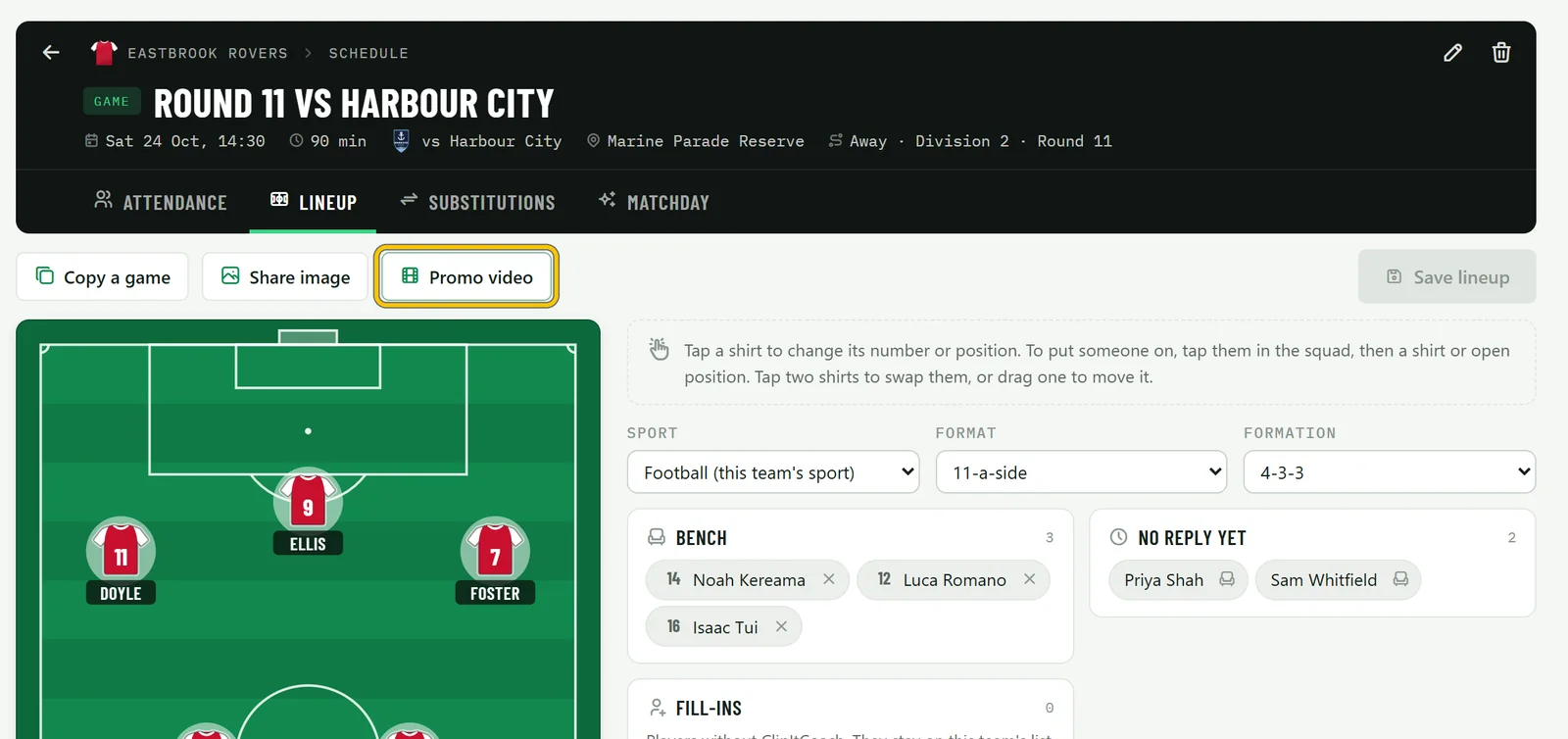
Good to know On the Free plan, coaches can still open Promo video and watch each style’s sample before upgrading.
-
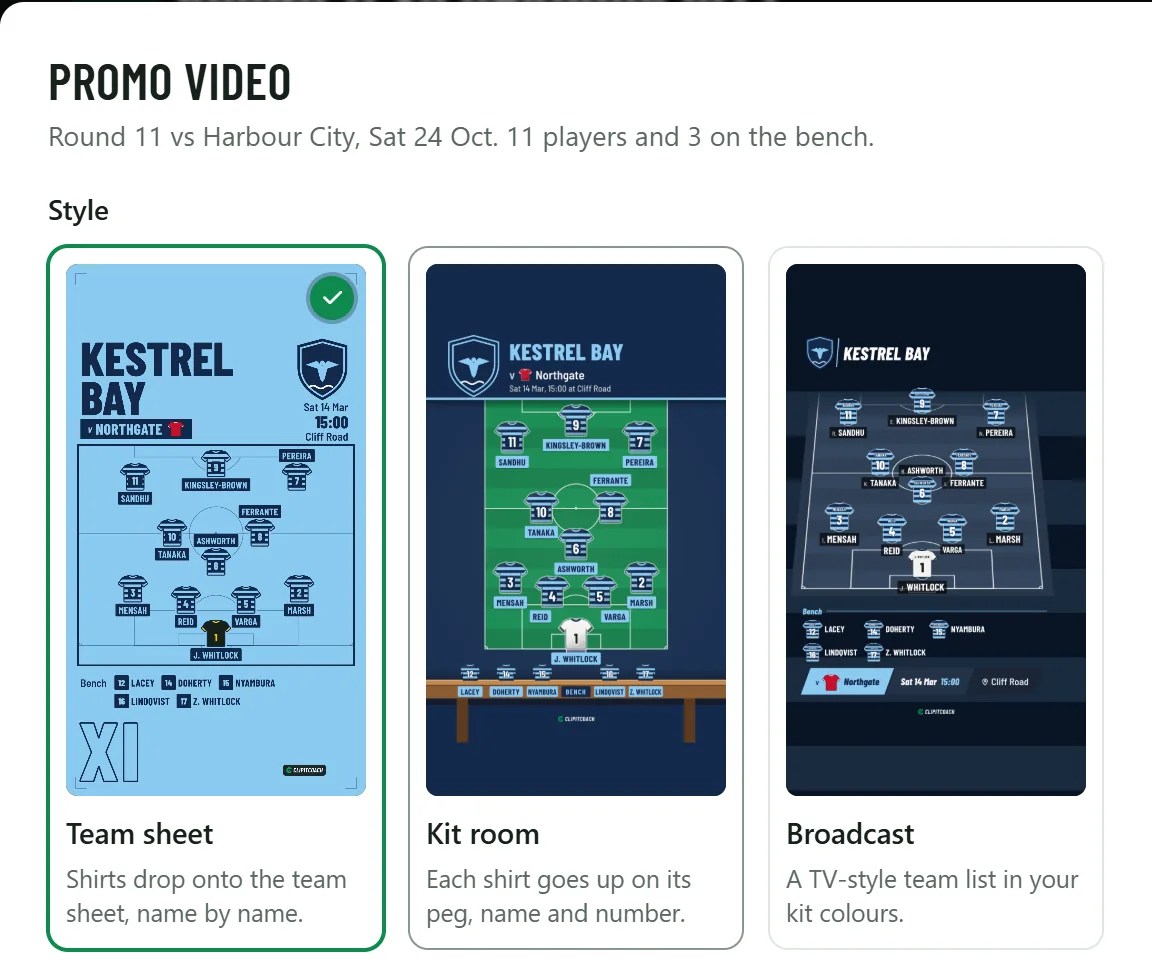
Pick a style
Choose one of three styles. In Team sheet, shirts drop onto the team sheet, name by name. In Kit room, each shirt goes up on its peg with its name and number. Broadcast is a TV-style team list in your kit colours. Each card plays a sample made for a made-up club, so you can see how it moves.
-
Choose the shape, the kit and what goes in
Under Format, Story 9:16 fits Reels, TikTok and Stories, and Post 4:5 fits the feed. Under Include, choose whether to show the Bench, the Fixture details and your Sponsor logo. Pick the Kit: Home, or Away if your team has an away kit. The logo comes from your team settings.
Choose Make video. It takes about a minute, and you don’t have to wait: close the dialog and carry on, and a notification comes when it’s ready.
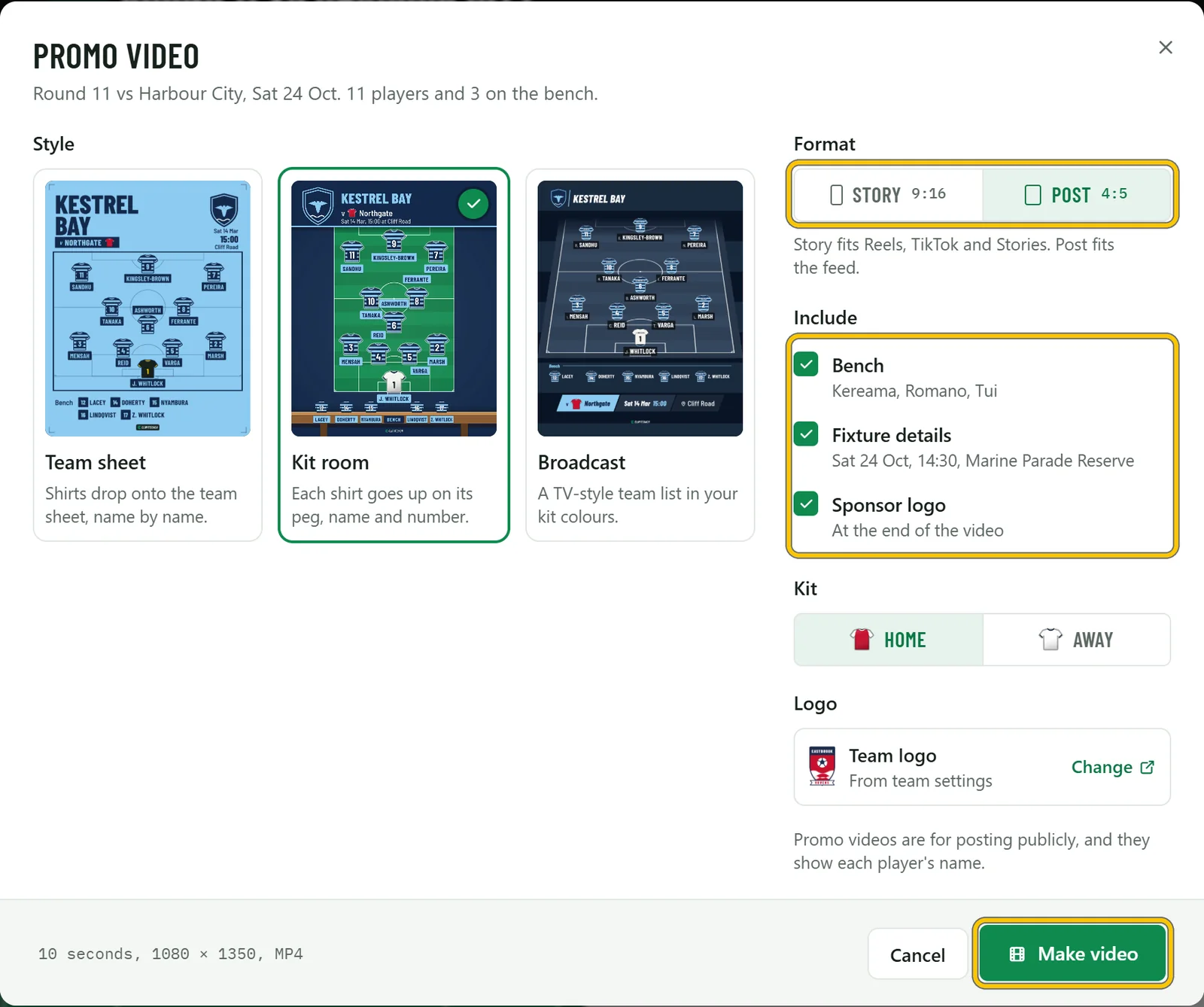
Good to know Promo videos are made for posting publicly, and they show each player’s name, so check your players are happy with that first, and their parents for a youth team.
-
Download it and share it
When it’s ready, the video plays in the dialog. Download saves the MP4, and Share sends it to another app where your browser can. Save photo and Share photo do the same with its last frame, for anywhere a picture works better than a video.
Each video is kept for 7 days, and Recent promos lists your team’s videos until then. Make another starts a new one.
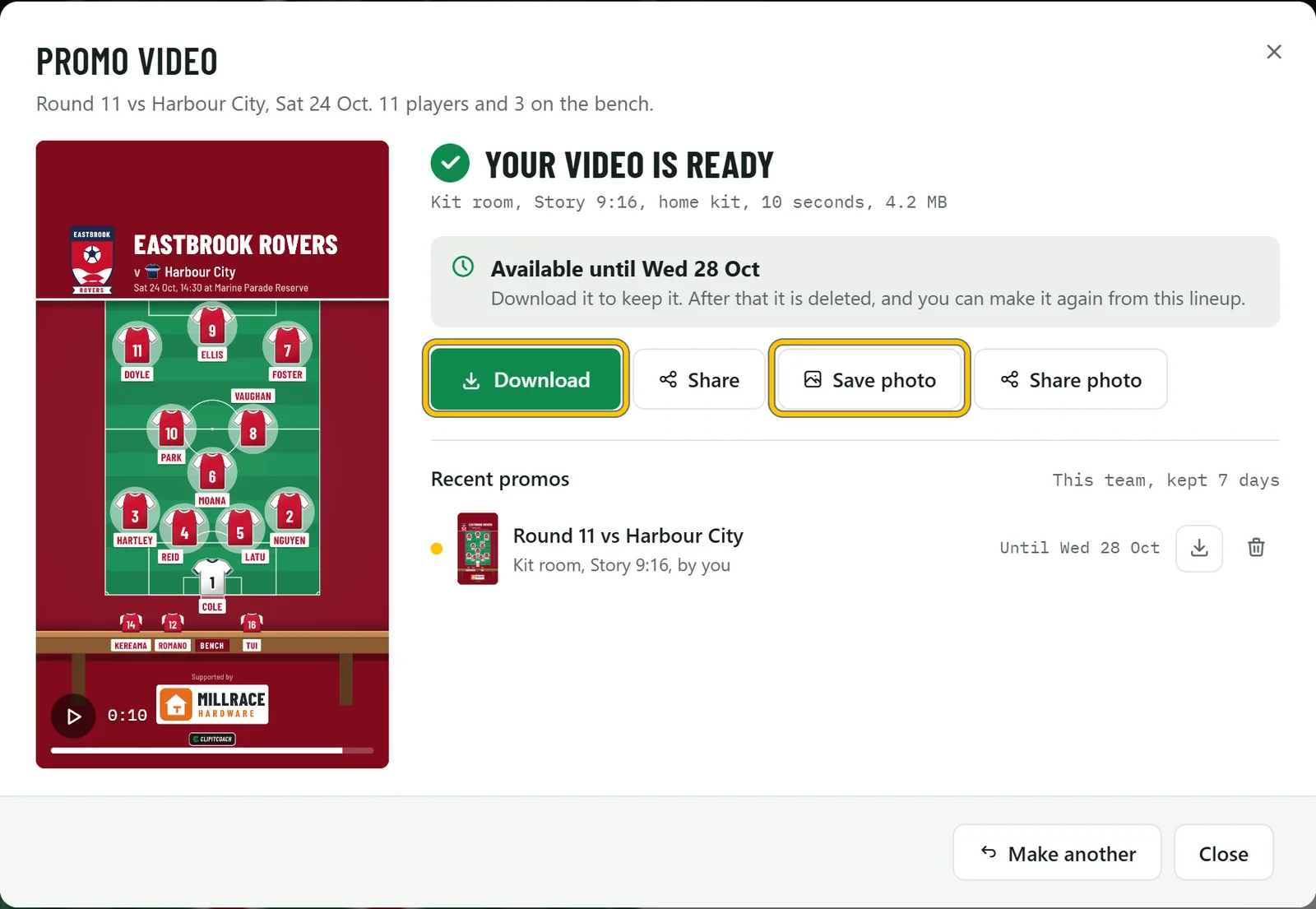
Good to know The video is silent, so add a sound in Instagram or TikTok when you post it. In the ClipItCoach app, Share to apps and Share photo open your phone’s share sheet.
-
Your players see it too
Once a video is ready, players get Promo video on the game’s Lineup tab. They can watch it, download it and share it, so the whole squad can post the team.
-
What you get
A short, silent video of your starters and bench in your kit, with your logo, the fixture, and your sponsor at the end. Here’s the same lineup in all three styles, and below them, one made from start to finish for another club.
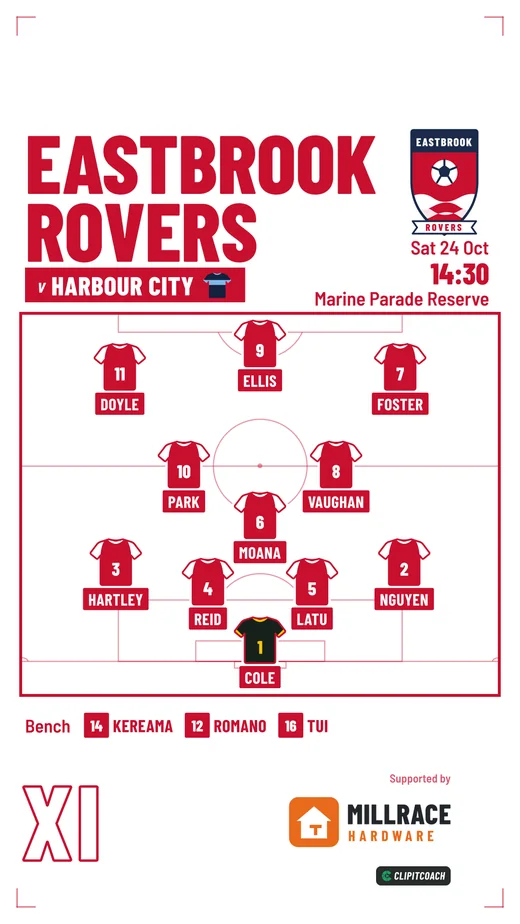
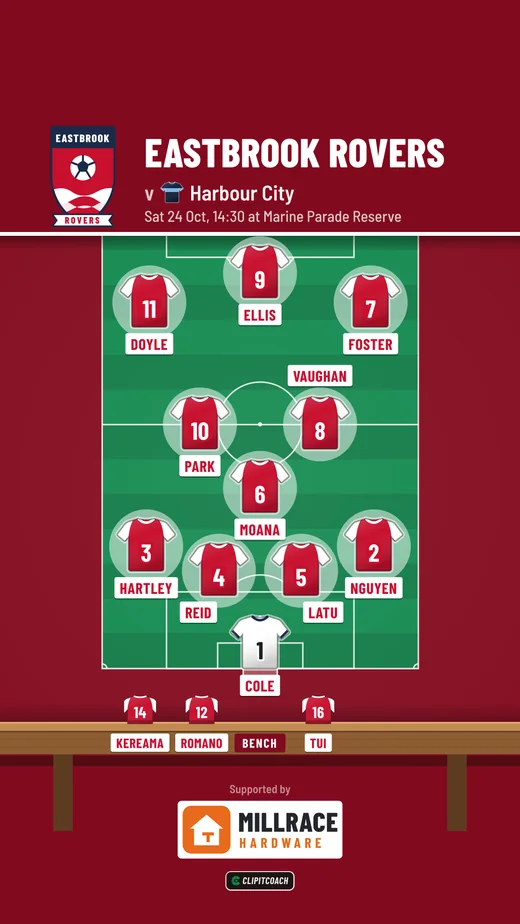
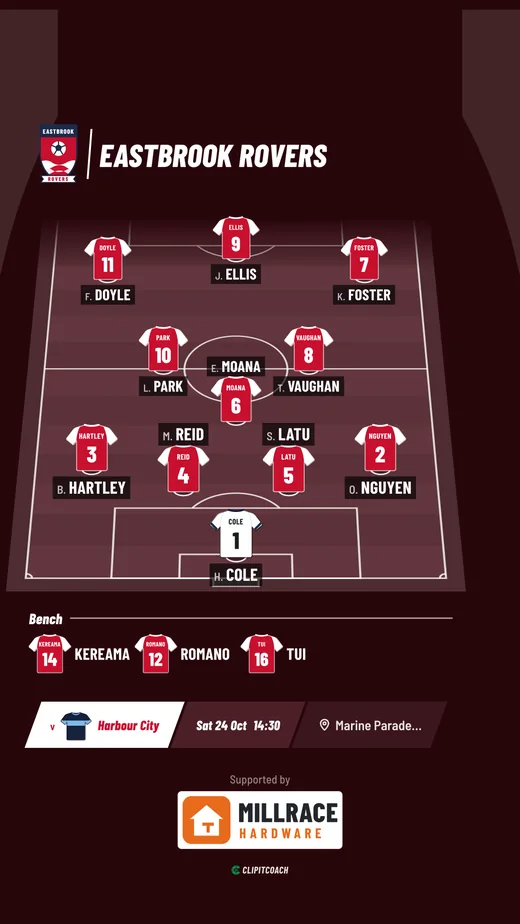
Ashgrove Athletic, a sample club. On a computer: open the game from the schedule, pick the XI and the bench, Save lineup, then Promo video, Broadcast and Make video. On a phone: the finished video, with Download.