On this page
On this page
The short answer
The ClipItCoach app for Android is on Google Play. It is the same ClipItCoach you use in a browser, not a cut-down viewer: sign in with the account you already have, and your teams, videos, clips, chat and schedule are all there.
What it adds is push notifications, ClipItCoach links that open in the app, and Android's share sheet for sending clips on. Nobody has to install it, because the browser on any phone still does everything. An iPhone app is coming soon.
What the app adds
Most of a team's week in ClipItCoach happens on phones: a player opening the clips their coach sent, replying in the comments, saying they can make Saturday. The browser handles all of that. The app handles it with less friction.
- Push notifications. When a coach releases a video and taps Notify in app, everyone the video is available to gets a notification on their phone, and tapping it opens the video. Whoever starts AI tracking on a clip hears when it has finished.
- Links open in the app. A link to a clip, a video or a team invite opens straight in ClipItCoach instead of a browser tab, and so do the links in confirmation and password reset emails.
- Android's share sheet. Sharing a clip or a video link goes through the phone's own share menu, so it lands in WhatsApp, Messages or wherever the team actually talks.
- Paying for a team in the app. Coaches can upgrade a team from the app, billed through Google Play, alongside card payment on the website.
Everything else is the same as the website: the same screens, the same team, the same clips, because it is the same ClipItCoach. A coach can clip a game on a computer on Sunday night and the players see it in the app on Monday morning.
Get the Android appAndroid only for now. An iPhone app is coming soon.
Who it is for
Players, mostly. A player who has the app gets the clips meant for them, the coaching note on each one, the next game with a tap to say whether they are coming, and team chat, all from the home screen. A notification gets a clip watched in a way an email rarely does.
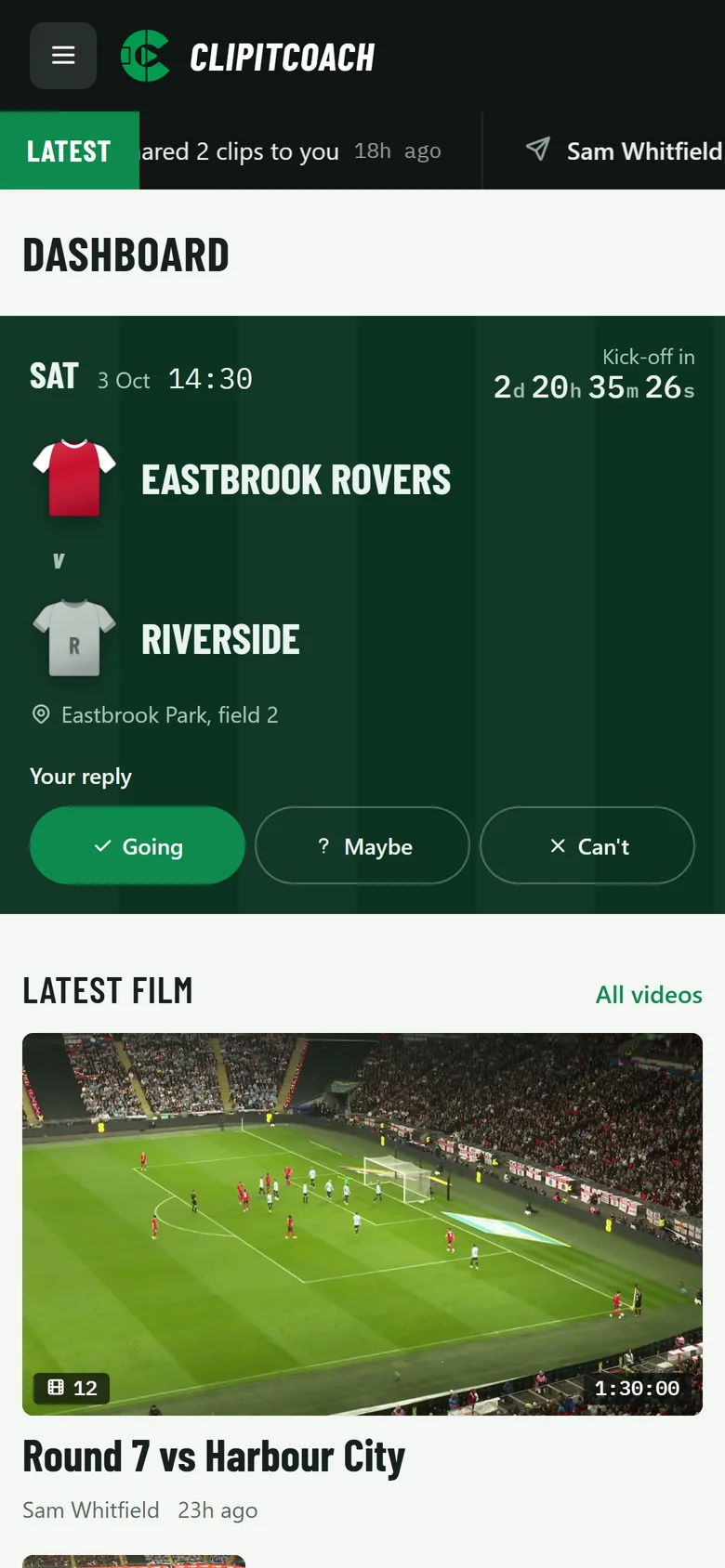
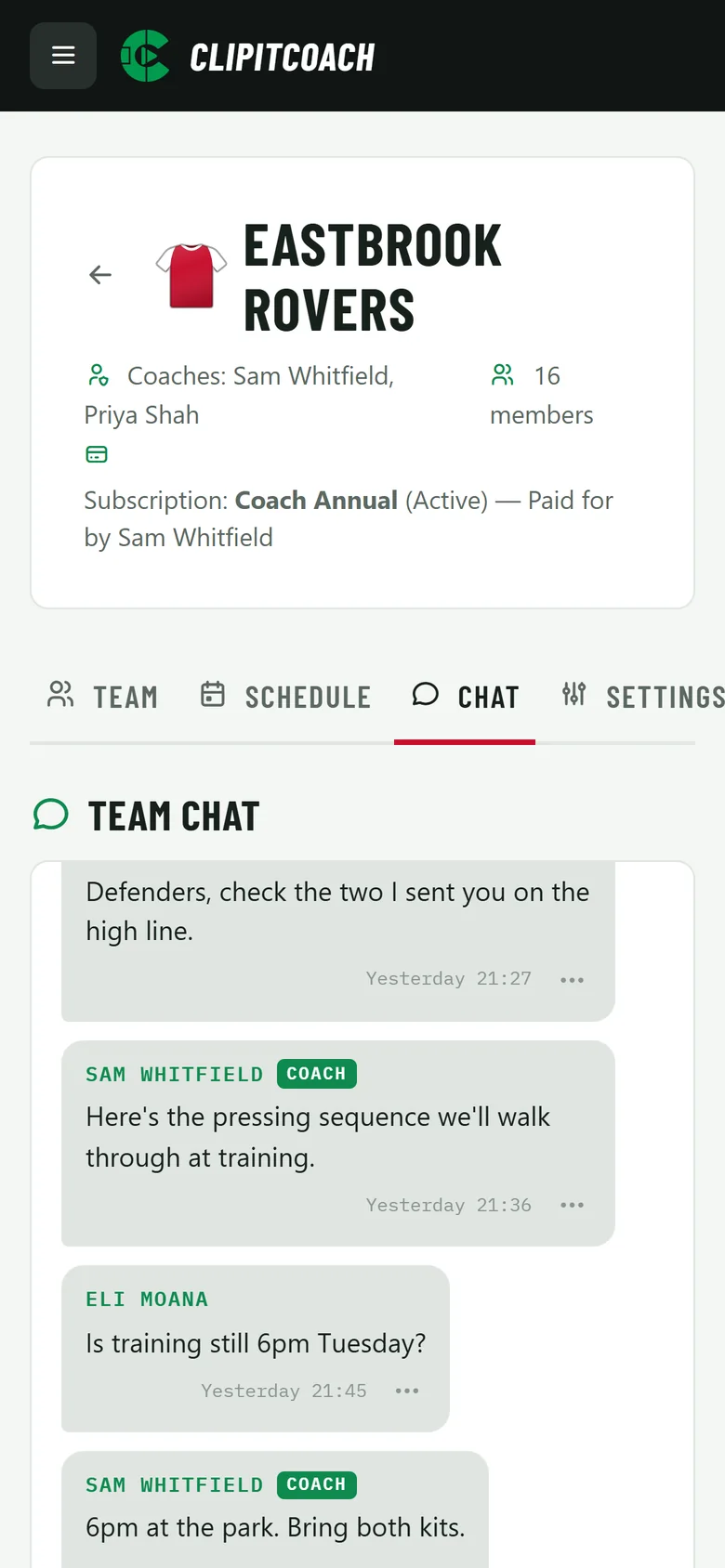
Coaches get the same app on the side of the pitch: who has replied for Saturday, the lineup, team chat, and the clips from last week's game when a player asks about one. Clipping a full game is still most comfortable on a computer, but tags and the record buttons work on a phone too, and the clip a game guide covers both.
Parents and supporters on the team see the same schedule and chat, which is often where they are most useful.
Getting started
Install ClipItCoach from Google Play and sign in with the account you already use; there is no separate app account. A player who has not joined yet can sign up in the app, and a coach's invite link opens in the app if it is installed, so joining the team is one tap.
A new coach can create a team in the app as well. The set up your team guide walks through it, from the team's kit to the invite link.
Uploading a game from the phone works as it does in the browser, with a paid plan. The app keeps the screen awake while the upload runs; keep the app open until it finishes, and an interrupted upload carries on where it stopped when you choose the same file again.
Paying for a team in the app
A team's coaches can upgrade it from the Android app. The subscription is billed by Google Play, which shows the price in your own currency before you confirm, and you manage or cancel it in Google Play like any other subscription. Subscribing on the website is billed by card at the prices on the pricing page.
Either way, one subscription covers the whole team, and a team paid for on the website keeps its plan in the app. Free is there for trying ClipItCoach on a game or two before you commit.
iPhone
An iPhone app is coming soon. Until then, ClipItCoach works in Safari on any iPhone, with nothing to install: the same clips, comments, chat and schedule, signed in to the same team. A squad with a mix of phones works today, with Android players in the app and iPhone players in the browser.
Common questions
Is there a ClipItCoach app for iPhone?
Not yet. An iPhone app is coming soon. Until it arrives, ClipItCoach works in Safari or any other browser on an iPhone, with the same clips, chat and schedule.
Do players need to install the app?
No. ClipItCoach works in the browser on any phone, tablet or computer. The Android app adds push notifications and links that open straight in it, which suits players who check their phone more than their email.
Can I pay for my team in the Android app?
Yes. A team's coaches can upgrade it in the app, billed through Google Play, and manage or cancel the subscription in Google Play. A team already paid for on the website keeps its plan in the app.
Do I need a new account for the app?
No. Sign in with the account you already use on the website, and your teams, videos and clips are there.