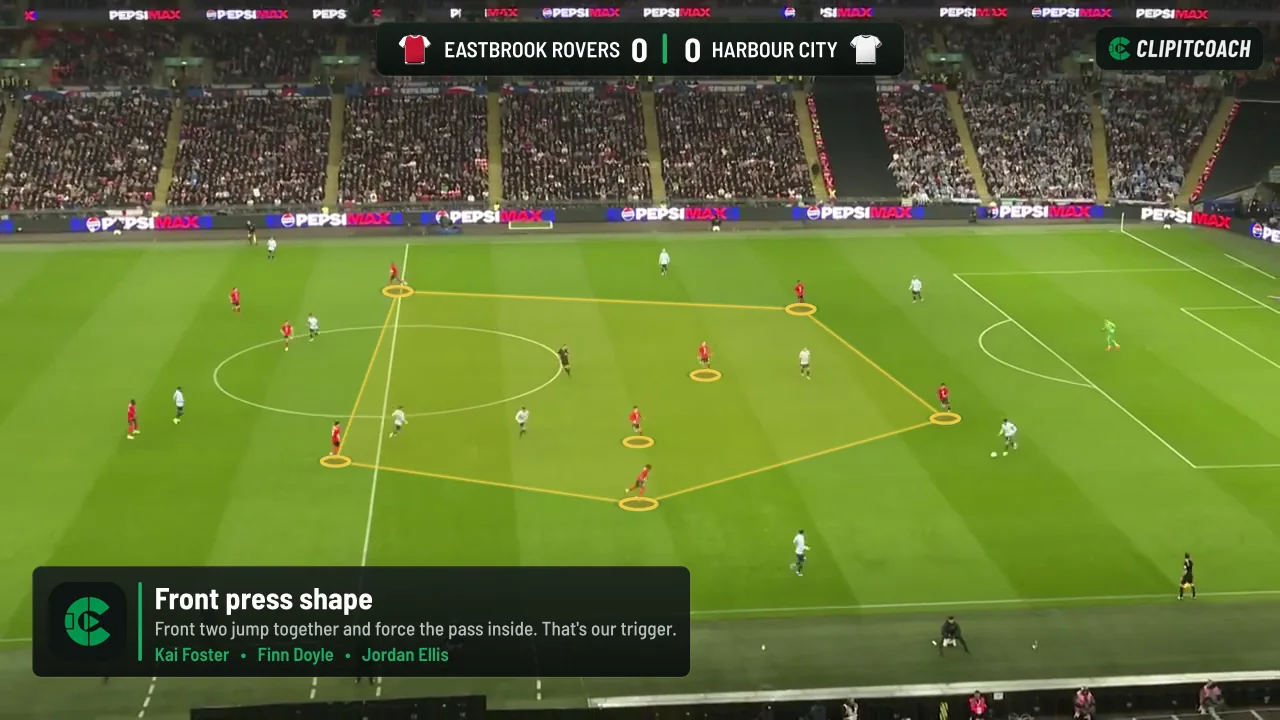
Guide 6 of 7
Draw on the play and track players
When a clip isn’t enough, draw on it. Freeze a moment and mark it up, or run AI tracking and animate the players as the play unfolds.
Saving drawings and AI tracking need a video uploaded to ClipItCoach, which comes with the Coach plan. See the plans
Steps
Steps
-
Open the Draw tab
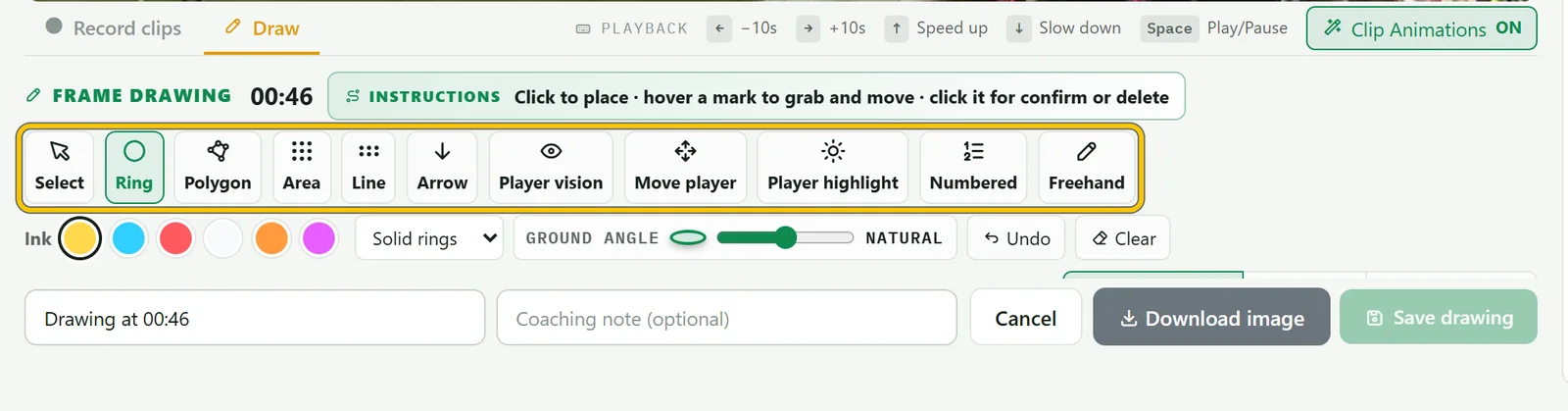
Pause the video on the moment and choose Draw under the player. Pick a tool: rings and highlights for players, arrows and lines for runs and passes, polygons and areas for space.
-
Draw it, add a note and save
Click to place. For an arrow, click where it starts and where it ends, then drag either end to adjust it. Add a coaching note and choose Save drawing.
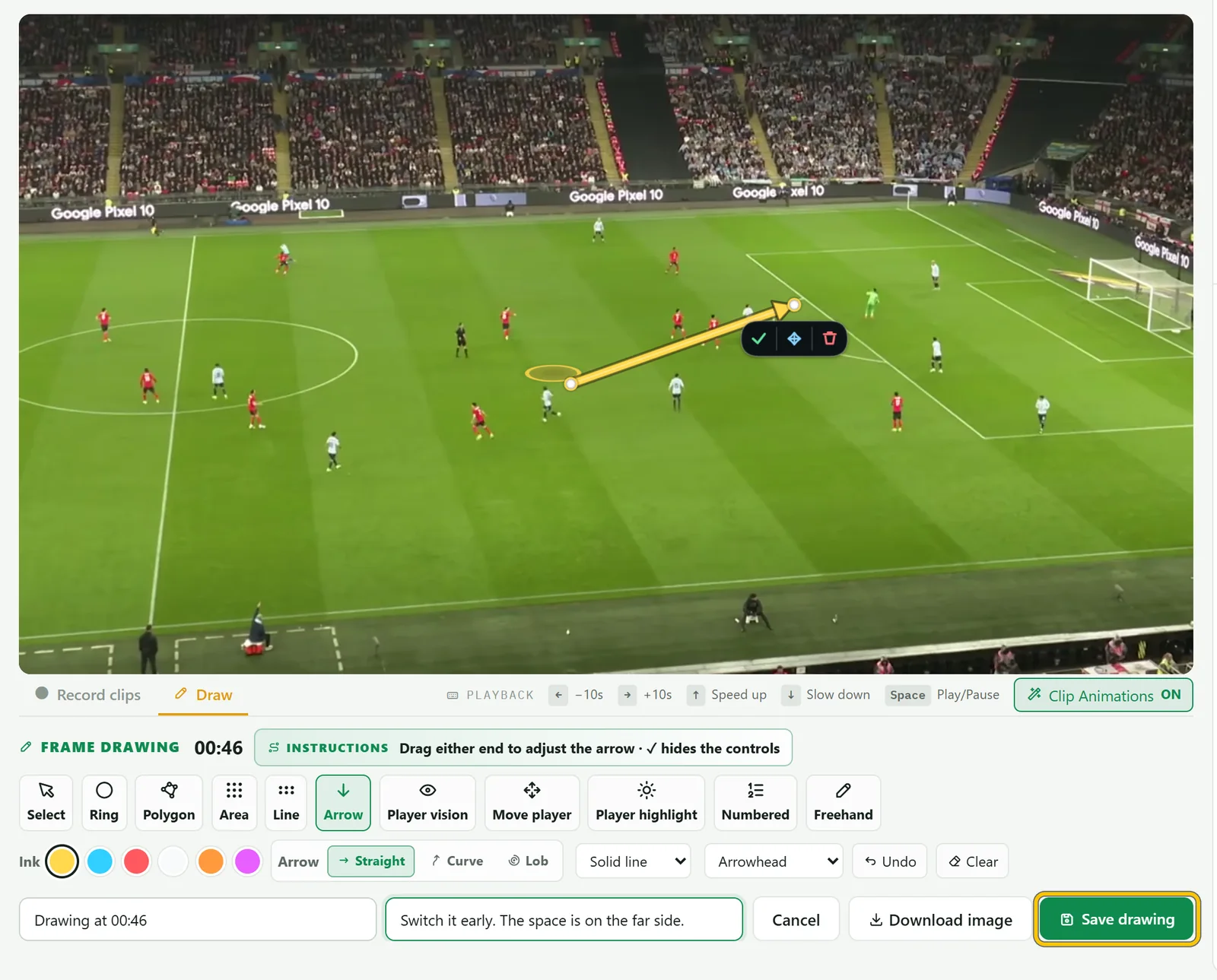
Good to know Saved drawings sit in the clips list at their moment. When the video reaches one, it pauses so everyone sees the drawing.
-
Run AI tracking on a clip
For a moving play, choose Animate clip on a clip to open it in the editor. Under AI Player Tracking, check the sport and choose Run AI Tracking. It takes a few minutes: you can leave the page and you’ll get a notification when it’s done.
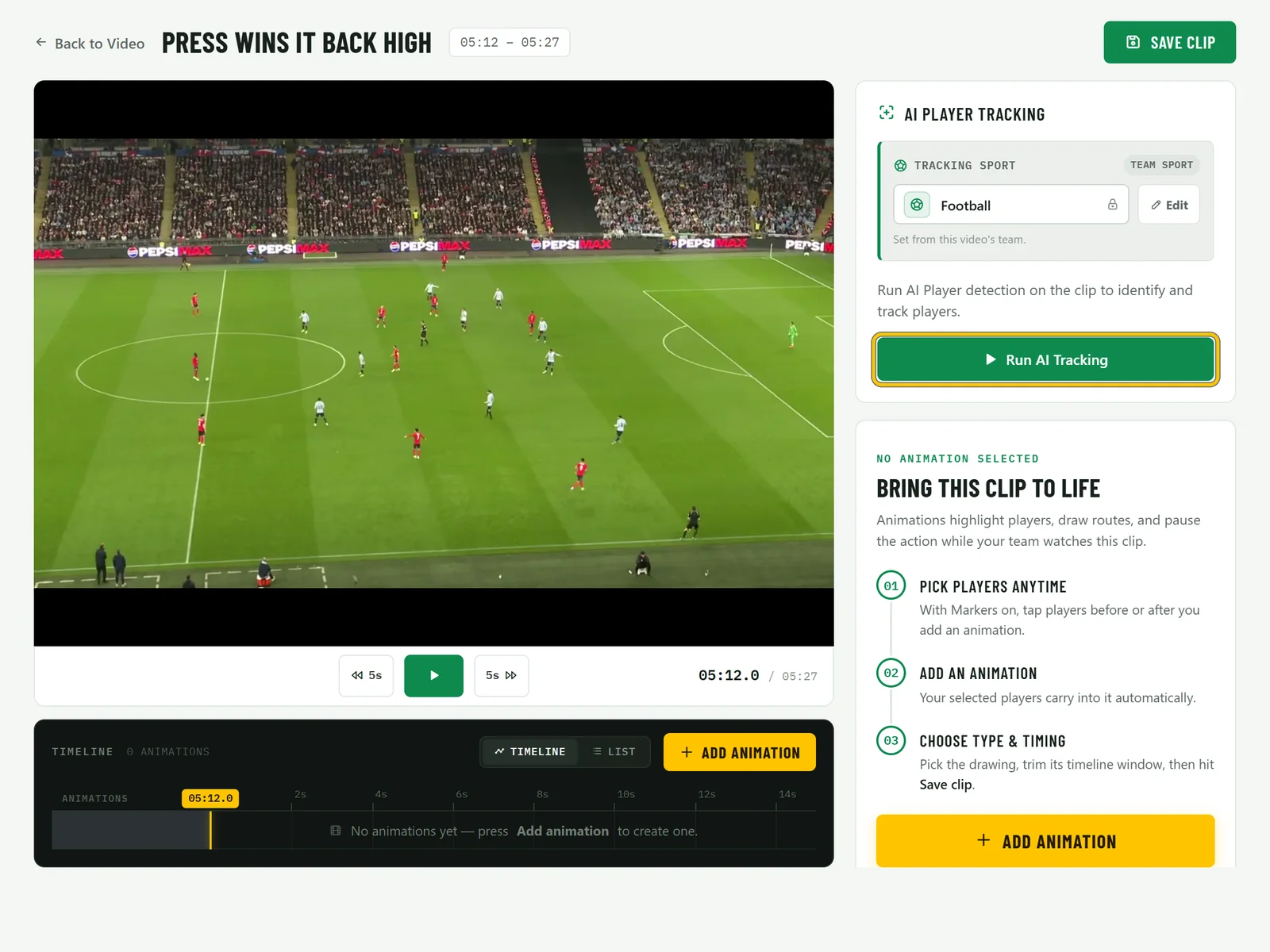
Good to know AI tracking works with football, basketball and rugby footage. How well it does depends on the camera angle.
-
Add animations
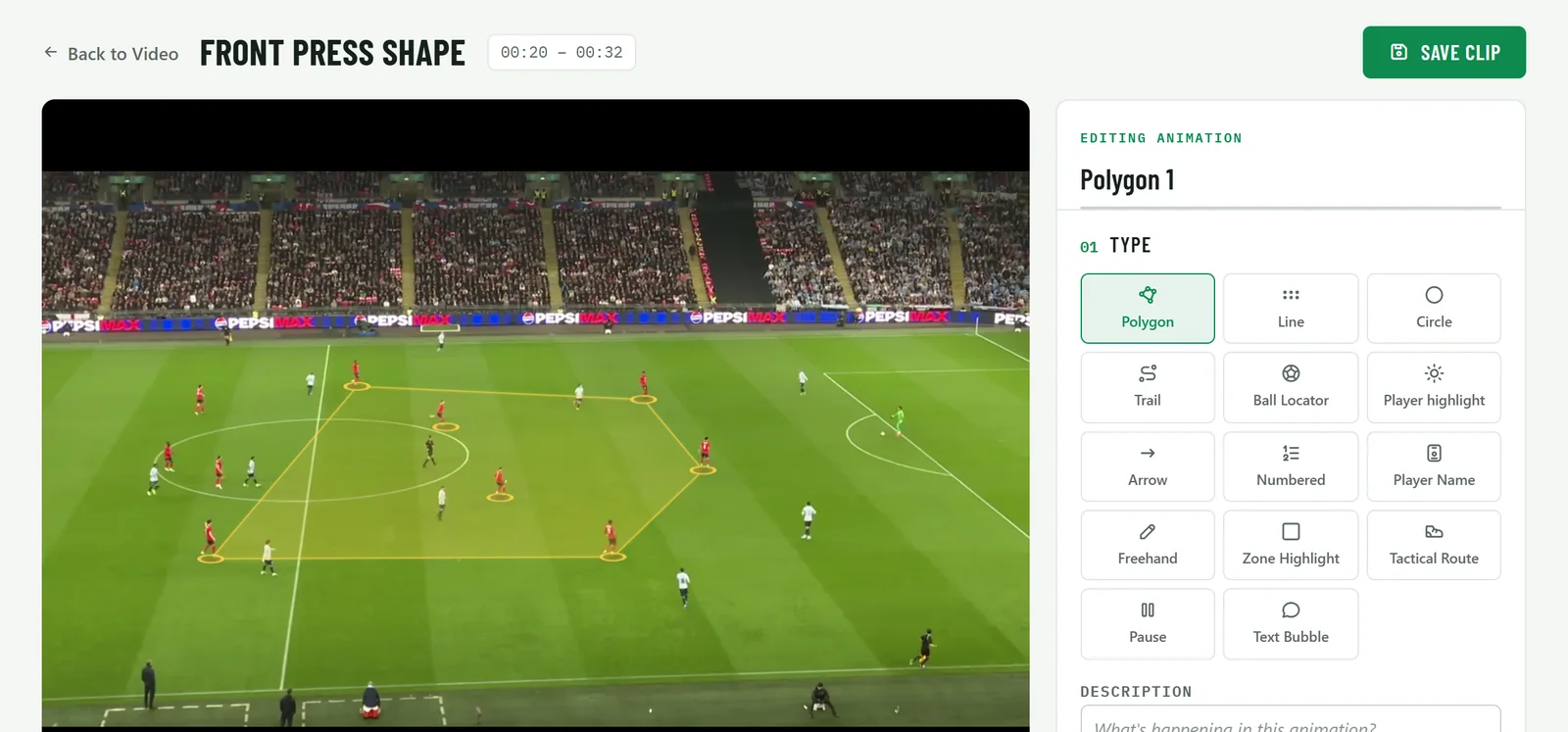
Choose Add animation and pick a type, like a polygon joining your front line, a player highlight or an arrow, then select the players. Set when it starts and ends on the timeline and choose Save clip.
-
Show it to the team
Animations play over the clip for everyone who watches it, and exports can include them.